Our Short List of 3

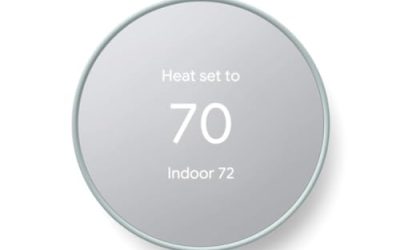
- Google Nest Thermostat, Snow (ASIN: B08HRPDYTP) — Google current entry smart thermostat, native Google Home control, mirrored display, designed to work without a C wire in most homes.
- Google Nest Thermostat E (ASIN: B076J5ZSFH) — the earlier accessible Nest model, frosted display, learning schedule, controlled through the Nest and Google ecosystem.
- Sensi Smart Thermostat ST55 (ASIN: B01NB1OB0I) — Emerson value Wi-Fi thermostat that works with Google Assistant, flexible scheduling, and no C wire required in most applications.
- Honeywell Home T5 Smart Thermostat (ASIN: B01LTHM8LG) — touchscreen Wi-Fi model with seven-day scheduling and geofencing, works with Google Assistant.
All 3 Picks at a Glance
| Product | Specs | Action |
|---|---|---|
| The Picks at a Glance |
| Check price on Amazon |
 3. Sensi Smart Thermostat ST55 | Check price on Amazon | |
 4. Honeywell Home T5 Smart Thermostat | Check price on Amazon |
Key takeaways
- Compare inexpensive smart thermostats that work with Google Home and Google Assistant: Nest Thermostat, Nest Thermostat E, Sensi ST55, and Honeywell Home T5, with wiring and compatibility guidance.
As an Amazon Associate we earn from qualifying purchases.
Affiliate Disclosure: This article contains affiliate links to products on Amazon. If you buy through those links, we may earn a commission from qualifying purchases, at no additional cost to you. Product details and specifications are taken from the manufacturer and Amazon product listings, not from detailed research by the author.
What Inexpensive Means for a Google Thermostat
An inexpensive thermostat for a Google household is not simply the cheapest thermostat on the shelf. A basic programmable thermostat costs very little but cannot be controlled from the Google Home app, does not respond to Google Assistant voice commands, and gives you no remote access when your routine changes. At the other extreme, flagship learning thermostats add premium finishes, advanced sensors, and learning features that many households never use. The sensible middle, and the subject of this guide, is the entry tier of smart thermostats: Wi-Fi models that work with Google, offer app scheduling and voice control, and leave out the premium extras.
Inexpensive in this guide is therefore a qualitative judgement, not a price figure. It means the models Google and its competitors position as their accessible, mainstream options, plus established value models from other brands that work with Google Assistant. Every pick below is a smart thermostat, every pick works with Google in a stated way, and no pick is a non-smart programmable unit or a thermostat locked to a different voice platform only.
One distinction matters before you choose. Google own-brand thermostats, the Nest models, are set up and controlled natively in the Google Home app. Third-party thermostats such as the Sensi and Honeywell Home models work with Google Assistant, meaning you link the manufacturer account to Google Home and can then control temperature by voice and through the Google Home interface, while scheduling and detailed settings usually live in the manufacturer app. Both routes are legitimate Google households; they simply differ in where day-to-day control sits.
The Picks at a Glance
- Google Nest Thermostat, Snow (ASIN: B08HRPDYTP) — Google current entry smart thermostat, native Google Home control, mirrored display, designed to work without a C wire in most homes.
- Google Nest Thermostat E (ASIN: B076J5ZSFH) — the earlier accessible Nest model, frosted display, learning schedule, controlled through the Nest and Google ecosystem.
- Sensi Smart Thermostat ST55 (ASIN: B01NB1OB0I) — Emerson value Wi-Fi thermostat that works with Google Assistant, flexible scheduling, and no C wire required in most applications.
- Honeywell Home T5 Smart Thermostat (ASIN: B01LTHM8LG) — touchscreen Wi-Fi model with seven-day scheduling and geofencing, works with Google Assistant.
1. Google Nest Thermostat, Snow
The Google Nest Thermostat is the model Google itself describes as its smart thermostat at a cozy, accessible position in the range, and it is the most natural answer to this search. It is an ENERGY STAR certified smart thermostat, programmable through the Google Home app on Android or iPhone, and it is controlled natively in that app rather than through a separate manufacturer account. If your home already runs on Google Home, this is the friction-free option: setup, schedules, and remote control all live where your other Google devices already are.
The listing states the thermostat turns itself down when you leave, so you do not waste energy heating or cooling an empty home, and that you can build an energy efficient schedule in the Google Home app. Savings Finder looks for further ways the schedule can save and suggests tweaks in the app, and HVAC monitoring can send an alert if something does not seem right with an eligible heating or cooling system, along with maintenance reminders. Control with Google Assistant voice commands is built in, and the listing also notes compatibility with Matter-certified voice assistants and with Alexa, which is useful in mixed households.
Wiring is the headline practical point. Google states the Nest Thermostat is designed to work without a C wire in most homes, but for some systems, including heating only, cooling only, zone controlled, and heat pump systems, you will need a C wire or another compatible power accessory. Google also states the thermostat works with the large majority of systems and provides an online compatibility checker on its support pages, and that self-installation usually takes thirty minutes or less following the steps in the app. Check compatibility before ordering rather than after opening the box, because the exceptions are specific and knowable in advance.
The mirrored display and the Snow finish suit the design-led rooms this site usually covers, and other colour finishes exist under separate listings if Snow does not match your wall. Choose this one if you want native Google Home control, the simplest Google setup, and the current entry model in Google own range.
2. Google Nest Thermostat E
The Nest Thermostat E was Google earlier attempt at exactly this brief: a more accessible Nest that keeps the learning behaviour the brand is known for. The listing describes a programmable smart thermostat, app controlled via Wi-Fi, compatible with Alexa and Google Assistant, in a frosted white finish, model T4002ES. Where the current Nest Thermostat uses a schedule you build in the Google Home app, the Thermostat E belongs to the generation that learns your heating and cooling preferences and builds a schedule from them, which some households still prefer.
The frosted display is the design signature. It is designed to blend into a wall rather than stand out from it, showing temperature softly through the frosted surface when active and disappearing into the background when not. For a hallway or living room where a bright mirrored or metal thermostat would fight the decor, that restraint is a real argument, and it is different enough from the current model that the E is not simply an older duplicate of the first pick.
The cautions are generational. The Thermostat E works with a smaller share of systems than the flagship learning models, its ecosystem experience spans the older Nest app heritage as well as Google account migration, and availability of a discontinued-generation model can vary by seller. Read the current listing carefully, confirm it is the exact T4002ES model, and confirm your system appears in the compatibility guidance before buying. If those checks pass and you value auto-learning plus the frosted look, the E remains a coherent inexpensive route into Nest.
Choose this one if you prefer a thermostat that learns a schedule for you and a display that blends quietly into the wall, and you are comfortable buying an earlier-generation model after checking the listing carefully.
3. Sensi Smart Thermostat ST55
The Sensi ST55 from Emerson is the strongest non-Google answer in this price-conscious tier, and its longevity in the market is part of the appeal. The listing gives the controller type as Amazon Alexa, Google Assistant, SmartThings, and Vera, so Google households can link Sensi to Google Home and control temperature with Google Assistant voice commands, while scheduling and settings are managed in the Sensi app. It is ENERGY STAR certified, programmable, and presented as an easy do-it-yourself install.
The practical strength of the ST55 is flexibility. It uses a traditional thermostat shape and footprint, which often covers the marks left by an old thermostat and avoids wall repair, and Sensi states a C wire is not required in most applications, which matters in older homes where no common wire was ever run. The box contents in the listing include the thermostat, two AA batteries, mounting hardware, wire stickers, and installation and welcome guides, which reflects a design aimed at a careful homeowner install rather than a professional-only fitting.
The trade-off is ecosystem depth. Because the ST55 is not a Google product, it does not appear natively in Google Home in the same way a Nest does, energy features and interface polish follow Sensi design rather than Google design, and some platform features, such as Apple HomeKit use, carry their own wiring conditions in the manufacturer documentation. None of that prevents it working well with Google Assistant for the core jobs of checking and changing temperature and running routines. For many households, voice control plus a solid manufacturer app is the whole requirement.
Choose this one if your wiring is older, your wall suits a traditional thermostat shape, or your household uses more than one voice platform and you want one thermostat that works across all of them.
4. Honeywell Home T5 Smart Thermostat
The Honeywell Home T5, model RCHT8610WF2006 in the manufacturer documentation, brings a large touchscreen approach to the accessible tier. The T5 offers seven-day programmable scheduling, so each day can follow its own pattern, or you can use location-based control instead: geofencing uses your phone location to switch between home and away settings as you come and go. The manufacturer documentation lists compatibility with Amazon Alexa, Apple HomeKit, Google Assistant, and other platforms, so a Google household links the Honeywell Home account and gains Assistant voice control.
That combination of a proper touchscreen and geofencing is the T5 argument. Households whose schedules are irregular often find fixed schedules wasteful, and geofencing answers that by reacting to actual departure and arrival rather than assumed times. The touchscreen also makes at-the-wall changes simple for guests and family members who do not have the app, which is a small but daily convenience that app-only designs underestimate. Monthly energy reporting in the Honeywell Home ecosystem helps you see whether the schedule you set is actually saving anything.
The wiring caution is firmer here than with the Nest or Sensi. Honeywell guidance for the T5 states that a C wire or a C wire power adapter is required, and heating-only oil furnace systems are not supported without a C wire. That does not disqualify the T5, but it means the pre-purchase wiring check is not optional. Photograph your existing thermostat wires before you order, count them, and confirm against the Honeywell compatibility guidance. If a common wire is present, the T5 is straightforward. If it is not, budget the effort for an adapter or choose one of the picks above that is designed to work without one in most homes.
Choose this one if you want a clear touchscreen, genuine seven-day scheduling, and geofencing, and your wiring already includes a C wire or you are prepared to fit the adapter.
C Wire Explained: The Question That Decides Most Installs
The C wire, or common wire, supplies continuous power from the heating and cooling system to the thermostat. Older thermostats often ran on batteries or stole small amounts of power, so many walls have no C wire waiting behind the old unit. Smart thermostats run Wi-Fi radios, colour or backlit displays, and sensors all day, so power matters more.
The four picks split into two camps. The Google Nest Thermostat is designed to work without a C wire in most homes, with named exceptions for certain heating only, cooling only, zone controlled, and heat pump systems. The Sensi ST55 likewise states no C wire is required in most applications. The Honeywell Home T5 requires a C wire or its adapter. The Nest Thermostat E sits in the older Nest generation, so follow its specific compatibility checker rather than assuming it matches the current model.
None of this is guesswork. Every maker here provides a compatibility checker or wiring guide. Use it with a photo of your current wiring, with the power to the system switched off before any cover comes off, and if the wiring looks non-standard, corroded, or labelled unclearly, stop and call a heating professional. A thermostat is inexpensive. A damaged control board is not.
Google Home Native Versus Works With Google Assistant
This distinction causes more confusion than any specification in the category, so it is worth stating plainly. A Google Nest thermostat is a Google Home device. You add it in the Google Home app, build its schedule there, and it sits alongside your speakers, displays, and cameras in one place.
A thermostat that works with Google Assistant, such as the Sensi ST55 and Honeywell Home T5, is a device from another maker that you link to Google. You install it in its own app, connect that account inside Google Home, and from then on you can ask Google Assistant to check or change the temperature and include the thermostat in Google routines. Detailed schedules, energy reports, and firmware settings generally stay in the maker app.
Neither is automatically better. Native control is simpler if you are all-in on Google. A linked thermostat can be better if you prefer that maker app, need its wiring flexibility, or run a mixed-platform home. Decide which daily experience you want before you compare anything else, because it narrows this list of four to a shortlist of two immediately.
Saving Money Without a Premium Thermostat
The savings from a smart thermostat come from behaviour, not branding. A schedule that sets back temperature while the house is empty and overnight, an away feature that reacts when everyone leaves, and remote control that lets you correct a forgotten setting are what reduce heating and cooling run time. All four picks offer the core of that behaviour. Premium models add learning refinements, room sensors, and finer reporting, which can help some homes, but they do not change the basic arithmetic.
To get the value from an inexpensive model, spend the ten minutes after installation building a real schedule around your actual week, enable the away feature the model offers, and review the energy report after the first month to see whether the settings match reality. Check with your energy provider about rebates for ENERGY STAR certified thermostats as well, since Google and the other makers note that such programmes exist, and a rebate can change which of these already accessible models is the best value for your address.
How to Choose Among These Four
Choose the Google Nest Thermostat if you want the native Google Home experience and your system is in its compatibility range. Choose the Nest Thermostat E if you specifically want learning behaviour and the frosted display and you have verified the exact listing and model. Choose the Sensi ST55 if wiring flexibility, a traditional footprint, and multi-platform support matter most. Choose the Honeywell Home T5 if you want a touchscreen and geofencing and your C wire situation is already solved.
In every case, run the maker compatibility checker first, photograph your existing wires, and turn off power to the system before removing the old thermostat. Those three steps prevent almost every failed installation story in this category.
Frequently Asked Questions
What is the difference between a Nest thermostat and one that works with Google Assistant?
A Nest thermostat is controlled natively inside the Google Home app. A thermostat that works with Google Assistant is made by another brand, linked to Google Home from its own app, and then controlled by voice and routines while detailed settings stay in the maker app.
Do I need a C wire for an inexpensive smart thermostat?
Sometimes. The Google Nest Thermostat and Sensi ST55 are designed to work without one in most homes, with exceptions. The Honeywell Home T5 requires a C wire or its power adapter. Always check your wiring with the maker compatibility tool before buying.
Can I install one of these thermostats myself?
These models are designed for homeowner installation, and Google states the Nest Thermostat usually installs in thirty minutes or less using the app steps. Turn off power first, photograph the wiring, and call a professional if the wiring is unclear or non-standard.
Will a smart thermostat work if my Wi-Fi goes down?
The thermostat continues to control heating and cooling locally and follows its set schedule, but app control, voice control, and remote changes need a working internet connection.
Do these thermostats work with Alexa as well as Google?
Yes, the listings for these models include Alexa alongside Google Assistant, which suits mixed households. The day-to-day app experience still differs, as explained above.