Key takeaways
- Protocol and hub: Z-Wave models need a Z-Wave hub, while Wi-Fi models connect to your router and Matter-capable models work with more ecosystems.
- Neutral wire: many smart dimmers need a neutral at the box. Lutron says its Caseta dimmers do not require one; Leviton’s D26HD and Kasa’s HS220 list a neutral requirement.
- Bulb compatibility: LED bulbs differ in how they dim, so use the maker’s compatible-bulb list and the minimum load it states.
- Multi-location: a three-way circuit may need a companion or add-on switch.
- Style: toggle, paddle or push-button.
If you want a smart dimmer that keeps the classic toggle (flip-lever) look, the Enbrighten 800 Series Z-Wave toggle dimmer (model 76595) and the Zooz 800 Series Z-Wave Long Range toggle dimmer (ZEN74) are the two named options, and both need a Z-Wave hub; if you are fine with a rocker or paddle, the Lutron Caseta, Leviton Decora Smart and Kasa dimmers cover more ecosystems. A “toggle dimmer” has a small lever like an old-style switch, rather than the flat rocker common in newer homes. Smart toggle dimmers are a narrow category, so this guide is candid about how few exist and what to do if you want a different style.
A wall dimmer is wired into the house circuit. Turn off the right breaker, follow the maker’s manual and local code, and use a licensed electrician if you are not comfortable working in a switch box or the wiring is unusual. Only use dimmers with the safety markings the maker states, and do not use a dimmer on a load the maker does not list.
As an Amazon Associate we earn from qualifying purchases at no extra cost to you.
What matters in a smart dimmer
- Protocol and hub: Z-Wave models need a Z-Wave hub, while Wi-Fi models connect to your router and Matter-capable models work with more ecosystems.
- Neutral wire: many smart dimmers need a neutral at the box. Lutron says its Caseta dimmers do not require one; Leviton’s D26HD and Kasa’s HS220 list a neutral requirement.
- Bulb compatibility: LED bulbs differ in how they dim, so use the maker’s compatible-bulb list and the minimum load it states.
- Multi-location: a three-way circuit may need a companion or add-on switch.
- Style: toggle, paddle or push-button.
At a glance
| Model | Style and protocol | Key stated specs | Limits |
|---|---|---|---|
| Enbrighten 800 Series Z-Wave toggle dimmer 76595 | Toggle; Z-Wave Plus Long Range | Listed range up to 1,300 ft with a compatible hub; single pole, up to four Enbrighten add-on switches, or one standard three-way switch; listing also describes direct 3-way wiring with no add-on switch needed; LED guide light with eight colors and four modes; white or light almond; works with Alexa and Google Home through a hub | Z-Wave hub required; the maker’s manual shows a neutral connection, so a box without a neutral needs wiring changes |
| Zooz 800 Series Z-Wave Long Range toggle dimmer ZEN74 | Toggle; Z-Wave Long Range | 120 VAC; the maker lists up to 100 W of LED load and 300 W of incandescent; neutral required; works in 3-way and 4-way circuits with existing mechanical 3-way switches; listed Long Range up to 1,300 ft with a compatible hub | Z-Wave hub required; maker says not for fans, switched receptacles or tube lights; the 100 W LED limit suits a few bulbs, not a large bank of fixtures |
| Lutron Caseta smart dimmer | Rocker or push-button paddle; Lutron’s own protocol | Smart hub required; no neutral required, per the listings | Not a toggle |
| Leviton Decora Smart D26HD (Wi-Fi, 2nd generation) | Decora paddle; Wi-Fi | Neutral required; works with Matter, Alexa, Google Assistant and Apple Home; no separate hub | Not a toggle |
| Kasa HS220 and KS220 | Paddle; 2.4 GHz Wi-Fi | HS220 is single pole and needs a neutral; works with Alexa and Google Home | Not a toggle |
Enbrighten 800 Series toggle dimmer: the toggle pick
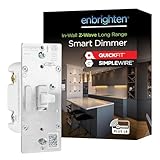
Enbrighten’s own store lists the 800 Series Z-Wave toggle dimmer, and retail listings give it as model 76595. The listing says it uses Z-Wave Plus Long Range and connects to a compatible hub from up to 1,300 feet, with the exact range depending on your home. It works in single-pole installs or with up to four Enbrighten add-on switches, and also with one standard three-way switch. Listing titles mention Quick Fit and Simple Wire installation features and line/load swapping, which are meant to make wiring easier.
The dimmer has a built-in LED guide light with eight color options and four operating modes. It comes in white or light almond, and listings mention that it works with Alexa and Google Home through a hub. A matching paddle-style model, 76593, is also listed, so you can mix toggle and paddle styles across a house with the same family.
Who it suits: homes with toggle-style plates who already run a Z-Wave hub (or are ready to buy one) and want smart dimming without changing the look of the wall. What to know: a hub is required, and the maker’s manual shows the white wire going to a neutral terminal (with a jumper to the neutral bundle if the box lacks one at the switch), so check your box for a neutral before buying and ask an electrician if it has none.
Zooz ZEN74: the other 800LR toggle
Zooz lists the ZEN74 as a Z-Wave 800 series Long Range toggle dimmer in white. The maker’s manual lists 120 VAC operation, a maximum of 100 W of LED load or 300 W of incandescent, a neutral wire requirement, and use in 3-way and 4-way circuits with existing mechanical 3-way switches. It says not to use it with fans, switched receptacles or tube lights. Range figures differ between the manual and retailer pages, so treat the 1,300 ft Long Range number as a best case with a compatible hub. It is a candidate for buyers already invested in a hub that supports Z-Wave Long Range and who want the toggle look.
If you can accept a paddle: the wider choices
Lutron’s Caseta dimmers are listed as rocker or push-button, require the Caseta smart hub, and do not require a neutral wire according to listings. That is a major reason older homes often pick Caseta. Leviton’s Decora Smart D26HD Wi-Fi dimmer is listed as neutral-required, with Matter, Alexa, Google Assistant and Apple Home support, and no separate hub. Kasa’s HS220 is a single-pole dimmer needing a neutral, using 2.4 GHz Wi-Fi, with Alexa and Google Home support. Lutron also sells a non-smart toggle-style dimmer (the Toggler), which is a plain dimmer rather than a smart one.
How to choose between Z-Wave, Wi-Fi and a proprietary hub
The protocol decides what you can pair with later. Z-Wave dimmers such as the Enbrighten and Zooz toggles join a hub, and the hub then talks to voice assistants and automation apps. That adds one device to the home, but each powered Z-Wave switch can also relay signals for others. Wi-Fi dimmers such as the Leviton D26HD and the Kasa HS220 join the router directly, so setup is simple, though a house with many Wi-Fi devices may slow the network and the 2.4 GHz band is the one the Kasa listing names. Lutron Caseta uses its own hub and radio, which is one reason it has a reputation for steady response, but it limits you to the styles Lutron makes, and none of them is a toggle.
If the house already has a hub, pick the dimmer that speaks its protocol. If nothing is installed yet, think about the long run: how many switches will become smart, whether voice assistants or Apple Home matter, and whether a toggle look is worth being tied to Z-Wave. Check the dimmer’s guide light, its behavior during a power cut and the way the lever works as a local control when the network is down; the manual describes how the lever and the level control work without the network.
Budget, mid-range and premium tiers
- Entry level: Wi-Fi dimmers such as the Kasa HS220, which skip the hub, and Z-Wave dimmers if you already own a hub.
- Mid-range features: Enbrighten and Zooz Z-Wave toggle dimmers, and Leviton Decora Smart.
- Premium features: Lutron Caseta, which needs its own hub, in exchange for a no-neutral design and wide device support. Street prices vary by seller, so this tier describes features, not cost.
Wiring and compatibility notes
- Neutral check: open the box with the power off and look for a bundle of white wires. If none is present, a neutral-required dimmer will not work without new wiring; a no-neutral model such as Lutron’s may be easier.
- Three-way: Enbrighten’s listing mentions add-on switches and one standard three-way switch, so confirm which arrangement your circuit uses.
- Bulb types: LED bulbs may buzz or flicker on mismatched dimmers. Use bulbs on the maker’s list and respect any minimum load.
- Box size: smart dimmers are deeper than old switches and may be tight in older boxes; the manual gives the fit.
- Hub placement: Z-Wave is mesh, so each powered device helps relay signals, though range depends on the house.
- Power outage and reset: read how the dimmer behaves after power loss and how to reset it before adding it to a hub.
- Not a safety device: a smart dimmer controls light and does not protect against faults; the breaker and wiring remain the protection.
Pick X if…
| If you want… | Pick | Reason |
|---|---|---|
| A smart dimmer that looks like a toggle | Enbrighten 76595 or Zooz ZEN74 | Both are listed as toggle Z-Wave dimmers |
| No hub | Leviton D26HD or Kasa HS220 | Wi-Fi models |
| No neutral wire at the box | Lutron Caseta | Listed as not needing a neutral |
| Apple Home and Matter support | Leviton D26HD | Listed with Matter and Apple Home |
| Add-on switches for three-way circuits | Enbrighten 76595 | Up to four add-on switches listed |
Alternatives
- Paddle smart dimmers: the Enbrighten 76593 shares a family with the toggle and is a simple style swap.
- Smart bulbs: avoid rewiring, but the switch must stay on, and a smart dimmer is usually a better match for a switch-controlled circuit.
- Smart plug-in dimmers: for lamps, rather than wall circuits.
- Non-smart toggle dimmer: if you only need dimming, a plain toggle dimmer is simple, though it lacks scheduling or voice control.
Frequently Asked Questions
Do toggle-style smart dimmers exist from Lutron or Leviton?
Searches of Lutron Caseta, Leviton Decora Smart and Kasa product listings showed paddle, rocker and push-button styles, not toggles. The toggle options found were the Enbrighten 76595 and the Zooz ZEN74.
Do I need a hub?
Z-Wave dimmers like the Enbrighten and Zooz models need a compatible hub, and Lutron Caseta needs its own hub. Leviton’s D26HD and Kasa’s HS220 are Wi-Fi models and do not need a separate hub.
Do these dimmers need a neutral wire?
Leviton’s D26HD and Kasa’s HS220 are listed as requiring a neutral. Lutron Caseta is listed as not requiring one. The Enbrighten 76595 and Zooz ZEN74 manuals both show a neutral connection, so a box without a neutral needs wiring changes before either can be used; ask a licensed electrician if the box has none.
Can I use one in a three-way circuit?
Enbrighten’s listing says it works with up to four add-on switches or one standard three-way switch, and some titles mention direct 3-way wiring with no add-on needed. Read the wiring diagram for your circuit and confirm the arrangement before buying.
Will it work with any LED bulb?
Not always. LED bulbs vary in how they dim, so use the compatible list and minimum-load guidance from the dimmer maker to avoid flicker or buzzing.
Can I install it myself?
Many people do, but it involves line voltage. Turn off the breaker, confirm the power is off, follow the manual and local code, and call a licensed electrician if the wiring is unclear.