Our Short List of 3

- Best for: Apartments and small homes on Xfinity plans up to 400 Mbps that want one box
- Modem: DOCSIS 3.0 with 16×4 channel bonding
- WiFi: Dual-band AC1600 (802.11ac)
- Max internet speed: 400 Mbps, per listing title
- Ports: Two 1 Gbps Ethernet
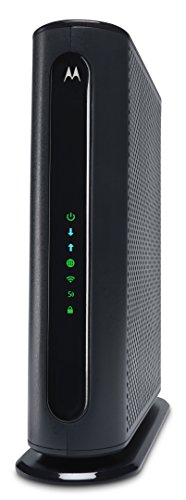
- Best for: Home offices and family desks with several wired devices on plans up to 300 Mbps
- Modem: DOCSIS 3.0 with 16×4 channel bonding, 686 Mbps maximum
- WiFi: AC1600 dual band with DFS channels and beamforming
- Ports: Four Gigabit Ethernet
- Chipset: Broadcom cable modem chipset, per listing
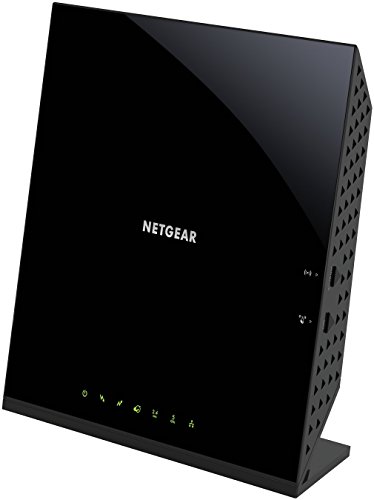
- Best for: NETGEAR households on plans up to 300 Mbps that stream on a handful of screens
- Modem: DOCSIS 3.0 with 16×4 channel bonding, up to 680 Mbps
- WiFi: AC1600 dual band, up to 1,600 Mbps wireless
- Ports: Two Gigabit Ethernet
- Plan fit: Cable plans up to 300 Mbps, per listing title
All 5 Picks at a Glance
| Product | Specs | Action |
|---|---|---|
| ARRIS SURFboard SBG10 |
| Check price on Amazon |
| Motorola MG7540 |
| Check price on Amazon |
| NETGEAR C6250 |
| Check price on Amazon |
 Motorola MB7420 |
| Check price on Amazon |
 Motorola MB7621 |
| Check price on Amazon |
Key takeaways
- Five DOCSIS 3.0 modems and modem routers approved for Xfinity, compared by channel bonding, AC1600 WiFi and port counts for everyday cable plans.
The real decision here is not which box is fastest on a shelf label. It is whether your Xfinity plan is modest enough that an entry DOCSIS 3.0 unit can retire the rented gateway for good, or whether a faster tier already pushes you toward newer hardware. Most starter and mid-level plans sit well inside DOCSIS 3.0 territory, and that is exactly the ground this group covers.
This roundup serves three kinds of Xfinity households: renters ending the gateway lease with one combo box, families keeping a router they trust behind a modem-only unit, and subscribers on upper mid-tier plans who need more channels without jumping standards. Each pick was chosen from its Amazon listing name and specifications, including DOCSIS version, channel bonding, WiFi class, port count, and the Xfinity approval stated by the seller.
Quick Picks
As an Amazon Associate we earn from qualifying purchases
| Product | Best for | Key spec from title |
|---|---|---|
| ARRIS SURFboard SBG10 | Ending the rental in a small home | DOCSIS 3.0 16×4 with AC1600 WiFi |
| Motorola MG7540 | Desks with several wired devices | 16×4 DOCSIS 3.0, AC1600, four ports |
| NETGEAR C6250 | A NETGEAR combo for a 300 Mbps plan | 16×4 DOCSIS 3.0 with AC1600 WiFi |
| Motorola MB7420 | Keeping an existing router | 16×4 DOCSIS 3.0, 686 Mbps modem |
| Motorola MB7621 | Faster plans behind your own router | 24×8 DOCSIS 3.0 for plans to 900 Mbps |
How to Choose
Start with one box or two
Start with the shape of the setup. A modem router combo such as the SBG10, MG7540, or C6250 replaces the rented gateway with a single box, one power supply, and one activation, which suits apartments and anyone who wants the swap finished in an afternoon. A modem-only unit such as the MB7420 or MB7621 assumes a router you already own and trust, and it lets you upgrade WiFi later without touching the cable side. Neither shape is faster by itself; the channel bonding and WiFi class in the listing decide performance.
Match channel bonding to your plan tier
Every pick here speaks DOCSIS 3.0, so the channel count is the spec that separates them. A 16×4 modem bonds sixteen downstream and four upstream channels and is listed for plans up to roughly 300 to 400 Mbps, the band where most entry Xfinity tiers sit. The MB7621’s 24×8 bonding raises the ceiling, and Motorola recommends it for service speeds up to 900 Mbps. Gigabit and faster Xfinity tiers sit outside this group entirely: those plans call for DOCSIS 3.1 hardware, which costs more because the standard is newer.
Read the router half: WiFi class and ports
On the three combos, the router half is where daily life differs. All three carry AC1600 dual-band WiFi, enough for streaming and calls across a small or mid-size home, and the SBG10 listing states coverage up to 1,400 square feet. Ports split the field more than radios do: the MG7540 provides four gigabit Ethernet ports, while the SBG10 and C6250 provide two each, so a desk with a computer, console, and TV can outgrow the two-port boxes quickly. Count wired devices before choosing, and plan on a small switch if the count is close.
Confirm approval, and respect the voice limit
Approval is a listing claim to verify, not assume. Each pick names Comcast Xfinity in its title or description, yet Xfinity keeps its own approved device list keyed to exact model numbers, and a model approved last year can age off a faster tier. Check your model against that list for your tier before ordering. Two limits apply to the whole group: none of these boxes has a telephone jack, so Xfinity Voice needs a separate voice device, and none works with DSL, fiber, or satellite service.
The 5 Best Options
ARRIS SURFboard SBG10
- Best for: Apartments and small homes on Xfinity plans up to 400 Mbps that want one box
- Modem: DOCSIS 3.0 with 16×4 channel bonding
- WiFi: Dual-band AC1600 (802.11ac)
- Max internet speed: 400 Mbps, per listing title
- Ports: Two 1 Gbps Ethernet
Apartments and small homes on Xfinity plans up to 400 Mbps that want one box
Only two Ethernet ports, so a wired-heavy desk will need a switch
The SBG10 is the simplest way in this group to replace a rented gateway with one owned box. Its listing pairs a 16×4 DOCSIS 3.0 modem with an AC1600 dual-band router, and ARRIS positions it for internet plans up to 400 Mbps, which covers the entry and mid tiers most apartments and small houses actually buy. Setup runs through the SURFboard Central app, and the stated coverage reaches 1,400 square feet. The compromise is wired flexibility: with only two gigabit Ethernet ports, a TV and a console already fill the back panel.
Motorola MG7540
- Best for: Home offices and family desks with several wired devices on plans up to 300 Mbps
- Modem: DOCSIS 3.0 with 16×4 channel bonding, 686 Mbps maximum
- WiFi: AC1600 dual band with DFS channels and beamforming
- Ports: Four Gigabit Ethernet
- Chipset: Broadcom cable modem chipset, per listing
Home offices and family desks with several wired devices on plans up to 300 Mbps
The modem ceiling sits below gigabit tiers, so a faster plan needs different hardware
Choose the MG7540 when the desk area needs wired connections as much as WiFi. Motorola’s listing combines the same 16×4 DOCSIS 3.0 modem class as the SBG10 with an AC1600 dual-band router, then adds four gigabit Ethernet ports, DFS channels, and beamforming, which suits a work laptop, desktop, TV, and console plugged in at once. The title positions it for plans up to 300 Mbps, and the description credits a Broadcom modem chipset. Like every pick here, it has no telephone jack, so it cannot carry Xfinity Voice service.
NETGEAR C6250
- Best for: NETGEAR households on plans up to 300 Mbps that stream on a handful of screens
- Modem: DOCSIS 3.0 with 16×4 channel bonding, up to 680 Mbps
- WiFi: AC1600 dual band, up to 1,600 Mbps wireless
- Ports: Two Gigabit Ethernet
- Plan fit: Cable plans up to 300 Mbps, per listing title
NETGEAR households on plans up to 300 Mbps that stream on a handful of screens
Two Ethernet ports limit wired gear, and there is no voice support
The C6250 gives NETGEAR shoppers the same basic recipe: a 16×4 DOCSIS 3.0 modem rated up to 680 Mbps, an AC1600 dual-band router, and a listing aimed at cable plans up to 300 Mbps. It fits a household that streams on a handful of screens and wants activation handled inside one box. Wired capacity is the limit to plan around, because the built-in switch provides two gigabit ports rather than four. The listing also rules out bundled voice services, so Xfinity Voice households should look at a voice gateway instead.
Motorola MB7420
- Best for: Entry Xfinity tiers in homes that already run a router they like
- Modem: DOCSIS 3.0 with 16×4 channel bonding
- Max download speed: 686 Mbps, per listing title
- Ports: One Gigabit Ethernet
- Certification: Comcast XFINITY residential speeds up to Extreme 300, per listing
Entry Xfinity tiers in homes that already run a router they like
It brings no WiFi of its own, so a router is a required second box
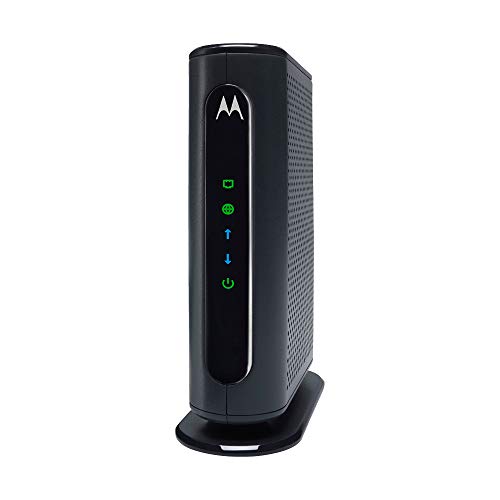
The MB7420 is the modem-only route for anyone keeping a router they already like. Motorola’s listing keeps the hardware narrow: 16×4 DOCSIS 3.0 bonding, a 686 Mbps ceiling, and a single gigabit Ethernet port feeding your existing router. Comcast certification in the listing covers residential service up to the Extreme 300 tier, which matches the entry plans this group targets. There is no WiFi radio and no telephone adapter inside, so the box does one job. Its compact 9.3-ounce body also suits a crowded desk or shelf.
Motorola MB7621
- Best for: Mid-to-fast Xfinity plans up to 900 Mbps behind an existing router
- Modem: DOCSIS 3.0 with 24×8 channel bonding
- Max download speed: 1,000 Mbps modem ceiling, per listing
- Recommended service speed: Up to 900 Mbps, per listing title
- Ports: One Gigabit Ethernet
Mid-to-fast Xfinity plans up to 900 Mbps behind an existing router
DOCSIS 3.0 still caps below gigabit tiers, and the tower body needs shelf space
Step up to the MB7621 if your plan outgrows the 16×4 class but a separate router still makes sense. The listing’s 24×8 DOCSIS 3.0 bonding feeds one gigabit Ethernet port, and Motorola recommends the modem for actual cable service speeds up to 900 Mbps, far above the entry tiers the other modem here targets. A Full-Band Capture digital tuner is listed for faster, steadier channel locking. It remains a modem only, with no WiFi and no voice support, and its larger tower body needs a proper shelf spot.
Which One Fits Your Situation
An apartment on an entry plan
Pick the SBG10. One box replaces the rental, the listing covers plans up to 400 Mbps, and stated coverage of 1,400 square feet fits a flat or small house. Setup through the SURFboard Central app keeps the swap simple. Accept the two Ethernet ports as the trade, and add a switch later only if wired gear multiplies.
A home office desk full of wired gear
Pick the MG7540. Its four gigabit ports take the work laptop, desktop, TV, and console without a switch, and AC1600 WiFi covers the rest of the home. The listing targets plans up to 300 Mbps, which matches most work-from-home tiers, and activation replaces the rented gateway in the same step.
You already own a router you like
Pick the MB7420. It hands your current router a clean gigabit feed, keeps the 16×4 DOCSIS 3.0 modem matched to entry tiers, and skips paying again for WiFi you already have. The single Ethernet port is all a modem needs in this layout, and the compact body hides behind the router.
A faster plan, still on a separate router
Pick the MB7621. The 24×8 bonding and the listing’s guidance toward service speeds up to 900 Mbps give a mid-to-fast plan real headroom, while your router keeps handling WiFi. It is the only pick here that stays sensible if you upgrade tiers within DOCSIS 3.0, though gigabit plans still need 3.1 hardware.
Common Mistakes
- Buying a DOCSIS 3.0 box for a gigabit Xfinity plan, then blaming the modem when the tier cannot be provisioned at full speed.
- Counting a combo’s WiFi class and forgetting its Ethernet ports, so a two-port unit lands on a desk that needs four wired links.
- Assuming a purchased modem can replace the voice gateway too; none of these picks has a telephone jack for Xfinity Voice.
- Ordering a modem-only model such as the MB7420 with no router in the house, which leaves WiFi devices with nothing to join.
- Skipping the approved device list check and discovering at activation that the exact model is not cleared for your tier.
Frequently Asked Questions
Will any of these boxes work with Xfinity Voice?
No. None of the five listings includes a telephone jack, and the modem descriptions rule out bundled voice services. Households with Xfinity Voice need a voice-capable gateway or a separate voice device from the provider, so keep that requirement in mind before returning every rented box to Xfinity.
Do the modem-only picks need a separate router?
Yes. The MB7420 and MB7621 have no WiFi radio, so a router must sit behind the single Ethernet port to give phones, laptops, and TVs a network. Any standard WiFi router pairs with them, which is the point of the layout: replace the modem and the router on separate schedules.
Is DOCSIS 3.0 still enough for an Xfinity plan?
For entry and mid tiers, yes. The 16×4 picks are listed for plans up to about 300 to 400 Mbps, and the 24×8 MB7621 is recommended for service speeds up to 900 Mbps. Gigabit and faster tiers need DOCSIS 3.1 hardware instead, so check your current tier and any planned upgrade before choosing a 3.0 box.
How does activation work after the box arrives?
Connect the coax line and power, then follow Xfinity’s activation flow in its app or browser page, signing in with the account that holds the internet service. The new modem provisions itself, the old rental can go back, and a combo unit then needs its WiFi name and password set before devices rejoin.